
Mobile app
Unlimited HR knowledge, anytime, anywhere. Add HR Cosmos to your mobile home screen.
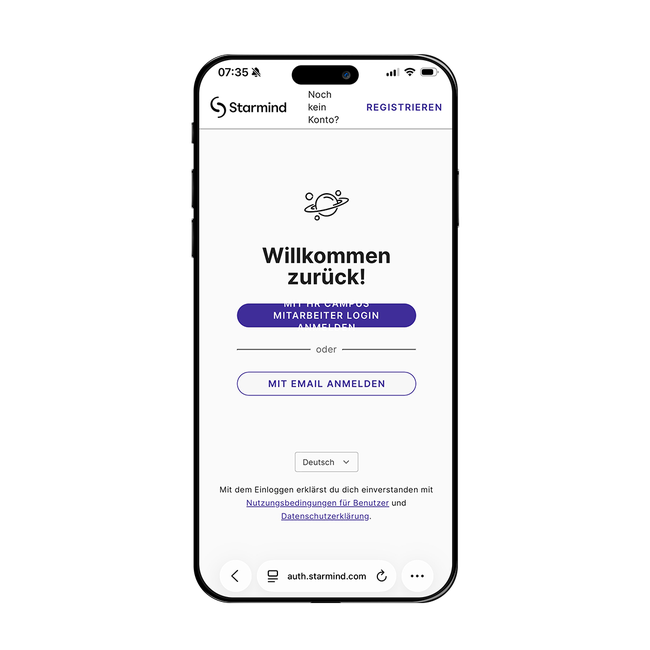
Step 1 - iPhone
Open https://hr-cosmos.starmind.com in a browser, such as Safari (important: not Chrome) and sign in with your email address and your password.
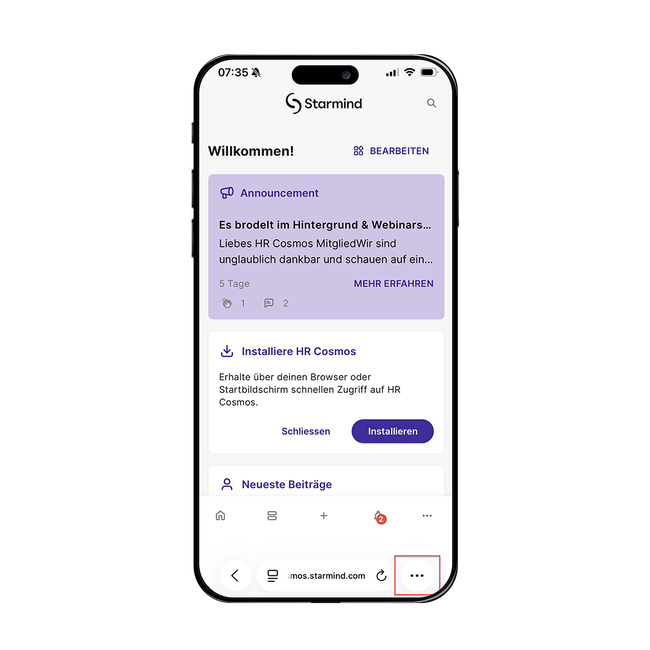
Step 2 - iPhone
Tap the three dots in
the bottom-right corner.
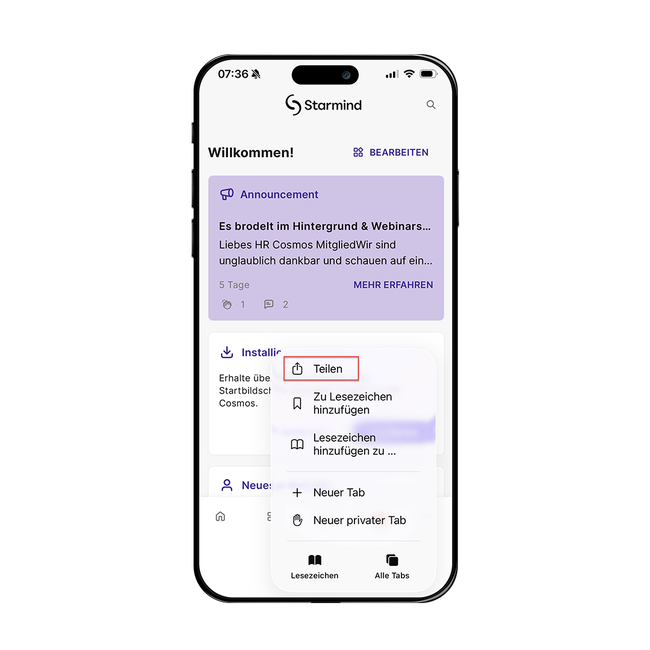
Step 3 - iPhone
Tap «share».
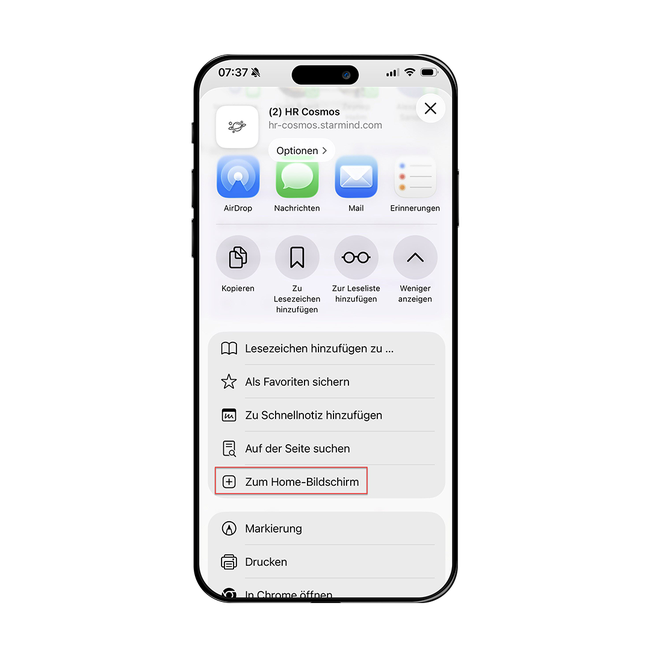
Step 4 - iPhone
Scroll down and tap
«Add to Home Screen».
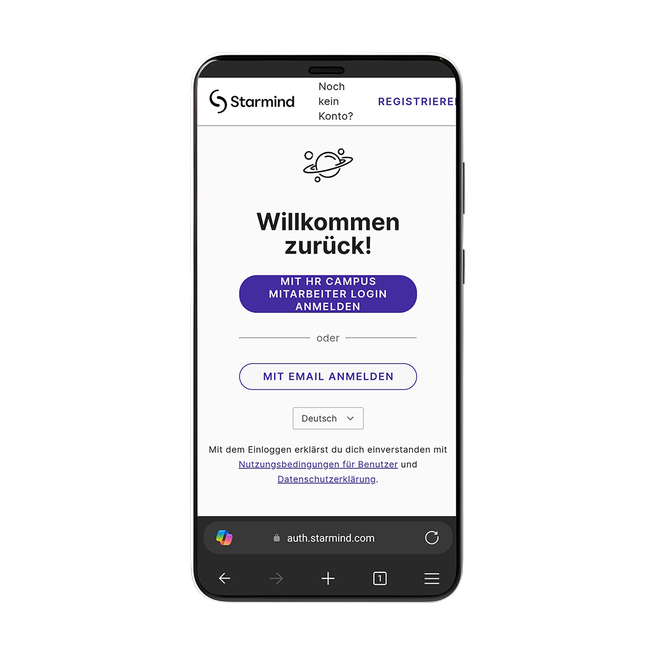
Step 1 - Android
Open https://hr-cosmos.starmind.com in a browser, such as Chrome and sign in with your email address and your password.
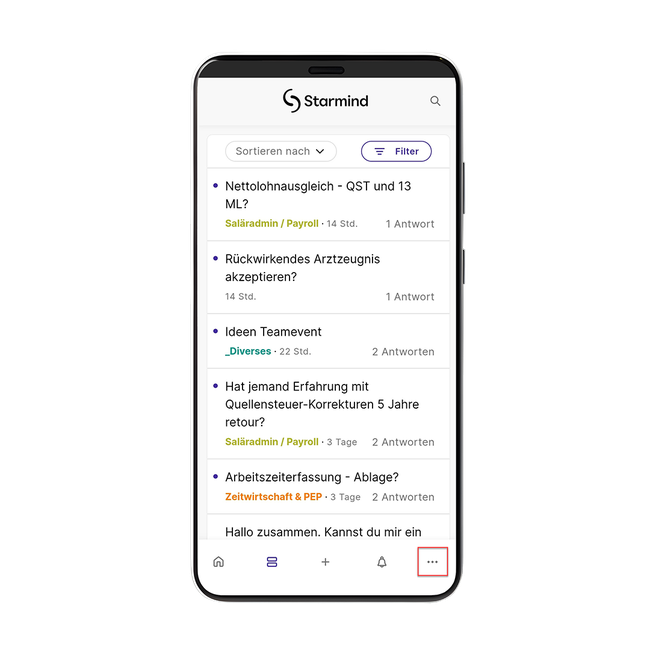
Step 2 - Android
Tap the three dots in
the bottom-right corner.
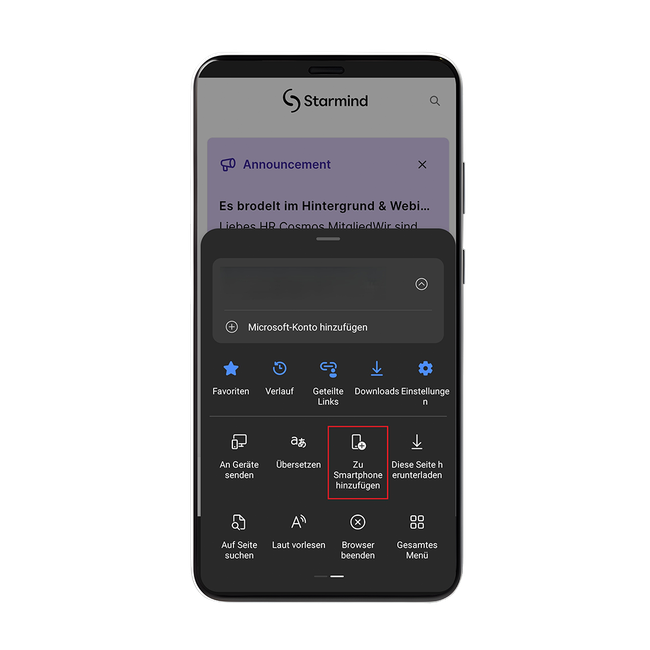
Step 3 - Android
In the browser settings,
select «Add to Home Screen».
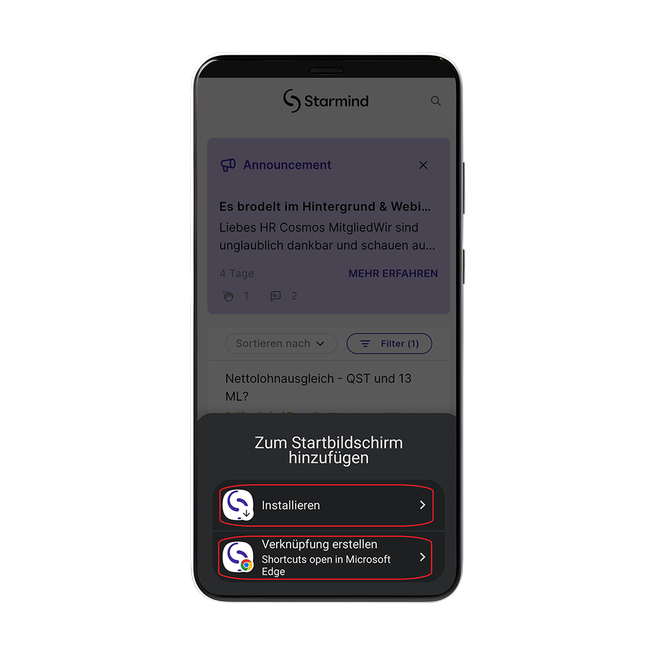
Step 4 - Android
Confirm.
Done!
Now you can use your HR Cosmos on your mobile.
